

In This Article
In 2026, the bottleneck in design isn’t the software—it’s the speed of ideation. Claude Design by Anthropic isn’t just another AI tool; it’s a fundamental shift in how we approach the “blank canvas” problem. While traditional tools like Figma require precise pixel manipulation, Claude Design allows you to talk your way into a functional prototype.
At Texora, we’ve spent weeks stress-testing this capability to see if it’s a gimmick or a genuine workflow killer. Here is our technical breakdown of where it shines, where it fails, and why the “Conversational UI” movement is just getting started.
What Is Claude Design
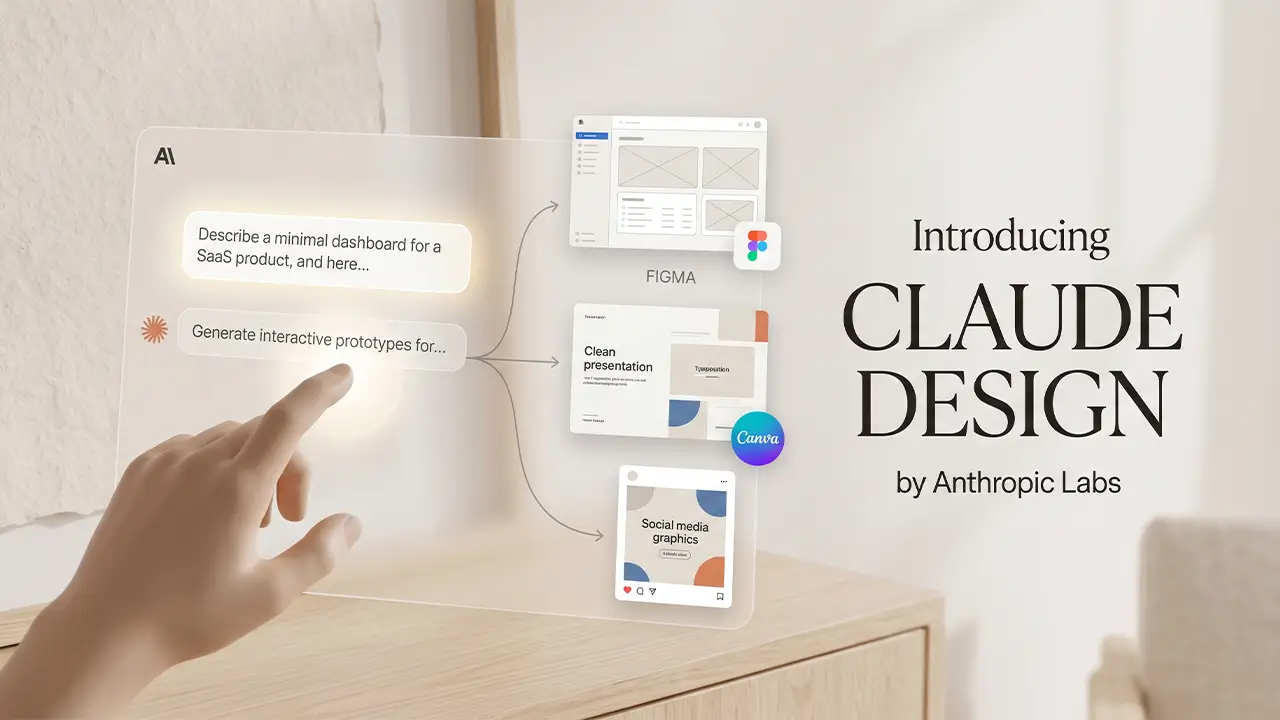
Claude Design transforms your prompts into functional code, Anthropic’s AI assistant. Rather than operating as a standalone design application, it works through conversational prompts. A user describes what they want visually, and Claude generates structured outputs: HTML mockups, SVG graphics, wireframe-style layouts, slide content, or interactive prototypes rendered directly in the interface.
The tool does not require design software knowledge. It does not use drag-and-drop canvases, layer panels, or asset libraries. Instead, it converts text instructions into functional visual artifacts, making it accessible to people without formal design training and useful to experienced designers who want to move quickly from idea to rough output.
What sets it apart from basic AI image generation is that the outputs are often structured and editable. A generated mockup is not a flat image; it can be rendered as working HTML or React code that a developer can inspect, modify, and build on.
How Claude Design Works
The Engine Behind the Design: Understanding Claude Artifacts
Claude Design lives inside a feature called Artifacts. Think of Artifacts as a dedicated workbench that appears on the right side of your chat window, allowing you to see your design come to life in real-time.
Why Artifacts Matter for SEO and Utility:
- Real-time UI/UX Rendering: Instead of just giving you code, Artifacts creates a live, interactive preview where you can click buttons and test layouts instantly.
- Version Control: Every time you ask for a change, Artifacts saves the previous version, allowing you to switch between different iterations of your design easily.
- Direct Code Access: You can toggle between the “Preview” and the “Code” (React/Tailwind) window, making it a seamless bridge for developers to copy-paste snippets into their local environment.
Conversational Design Input
Claude Design operates through natural language. A user types a description, a request, or a specification, and the model interprets it to produce a visual or structural output. The input can be as loose as “design a landing page for a law firm” or as specific as a detailed brief covering layout, color palette, typography, and content hierarchy.
The model processes the intent behind the request rather than requiring precise technical language. A non-designer can describe what they need in plain terms. A designer can write structured briefs. Both approaches produce usable outputs, though more specific inputs generally produce more accurate results.
Iteration works the same way. If the first output does not match what the user wanted, they describe the changes in plain text. The model is revised accordingly. This conversational loop replaces the click-and-adjust workflow common in traditional design tools.
Output Types: Prototypes, Presentations, and More
Claude Design produces several types of output depending on the request and context.
Interface mockups and wireframes are among the most common outputs. These appear as rendered HTML or component code that shows layout, content placement, and basic visual hierarchy. They are not pixel-perfect designs ready for production, but they communicate structure clearly enough to use in client presentations or internal reviews.
Presentations are another output type. Claude can generate slide content, outlines, and in some cases visual slide structures, though the formatting depth depends on how the output is used and exported.
SVG graphics, icons, and simple illustrations can be generated for use in documents, web pages, or other materials. Data visualizations, tables, and structured information displays are also possible.
For developers, React components and HTML templates generated through Claude Design can serve as functional starting points rather than purely visual references.
Claude Design vs Figma and Canva: Key Differences
| Feature | Claude Design (AI) | Figma (Professional) | Canva (Template-Based) |
|---|---|---|---|
| Primary Workflow | Conversational / Text Prompts | Drag-and-Drop / Pen Tool | Template / Asset Library |
| Output Format | Functional Code (React/HTML) | Design Files (.fig) | Images / PDF / Social Media |
| Speed to Draft | Seconds (Ultra Fast) | Minutes/Hours (Manual) | Minutes (Guided) |
| Precision Control | Low (Iterative Prompts) | Absolute (Pixel Perfect) | Medium (Constrained) |
| Best Use Case | Rapid Prototyping & Ideation | Production-Ready UI/UX | Marketing & Social Assets |
Where Claude Design Fits In
Figma and Canva are purpose-built design applications. Claude is a general-purpose AI assistant with design generation capability. That distinction matters for how you evaluate each.
Claude Design is fastest when you need something quickly and do not want to open a design application. Early-stage mockups, rough concepts for client feedback, simple graphics, or structured content layouts are situations where generating through conversation is faster than building manually.
It also fits well into workflows where design is not the primary skill. A developer who needs a wireframe to communicate a UI idea does not need Figma for that. A business owner who needs a simple one-page layout for a proposal does not need Canva training. Claude reduces the skill barrier for producing usable visual drafts.
For freelancers and agency owners who regularly produce design work at volume, Claude can accelerate the early stages of a project: first drafts, concept exploration, and client-facing mockups before moving into final production in a dedicated tool.
What Figma and Canva Still Do Better
Figma remains the professional standard for collaborative UI and UX design. It offers precise pixel control, component libraries, design systems, version history, real-time collaboration, and developer handoff workflows. Claude cannot replicate any of these at a production level.
Canva is optimized for non-designers who want polished, brand-consistent outputs using pre-built templates. Its template library, asset management, and export options for print and social media are built around speed and quality for finished deliverables. Claude does not produce finished deliverables in the same way; it produces starting points.
For anything that needs to go directly to a client as a finished asset, to a printer, or into a production codebase without significant revision, Figma or Canva will produce more reliable results. Claude is better understood as a drafting and ideation tool rather than a production tool.
Practical Use Cases for Claude Design
For Designers and Creative Professionals
Experienced designers can use Claude to compress the early phases of a project. Generating a rough wireframe through conversation takes seconds. Describing a layout direction and getting a renderable HTML structure to review is faster than building it manually in Figma.
Claude also works as a concept exploration tool. A designer testing multiple layout directions can generate several rough versions quickly, identify which direction has potential, and then invest time refining the strongest option in a dedicated tool.
For writing design briefs, generating content for mockups, or producing placeholder structures, Claude handles the repetitive parts of early-stage design work.
For Freelancers and Agency Owners
Freelancers managing multiple clients and tight timelines benefit from the speed of conversational design generation. Initial proposals and client-facing mockups can be produced faster, allowing more time for execution.
For agency owners whose teams handle design but who regularly produce client-facing presentations, scope documents, or concept materials, Claude reduces the dependence on a designer for every visual output.
It is also useful for producing design assets that fall outside a team’s primary skill set. A web design agency that does not specialize in print materials can generate a basic brochure layout or social graphic without hiring a separate designer for the task.
For Non-Designers and Business Teams
Business teams that need visual materials for internal presentations, reports, or client communication often lack design resources. Claude allows them to produce clean, structured visual outputs without design software skills or external vendors.
Product managers who need to communicate interface ideas to developers, marketing teams who need a quick graphic, or founders who need a basic pitch deck layout can all use Claude Design without design training.
The outputs will not replace professionally designed materials for high-stakes contexts, but they are sufficient for internal use, early client conversations, and concept communication.
Benefits of Using an AI-Powered Design Tool
The primary benefit is speed. Producing a rough mockup or visual concept through conversation is faster than building it manually, regardless of the tool. For early-stage work, that speed has real value.
Accessibility is another benefit. Claude Design removes the learning curve associated with design applications. Users who know what they want but lack the software skills to build it can produce usable outputs without training.
Integration with existing Claude workflows is also practical. A user already using Claude for content writing, research, or code can generate design outputs within the same conversation, without switching tools or contexts.
For developers, the code-based outputs have direct utility. A generated HTML layout or React component is not just a picture of a design; it is functional code that can be modified and extended.
Limitations and Risks to Consider

Claude Design does not produce production-ready assets in most cases. The outputs are drafts. For client deliverables, marketing materials, or anything that carries brand standards, a significant revision in a dedicated tool is usually necessary.
The model can misinterpret design requests, particularly when the input is vague. Outputs may not match expectations without iteration, and iteration requires the user to accurately describe what is wrong and what needs to change. Users without design vocabulary may find that process slow.
Consistency across multiple outputs is a limitation. Unlike Figma, which uses reusable components and design systems, Claude generates each output independently. Maintaining visual consistency across a set of screens or materials requires careful prompting and external organization.
There is also a risk of over-reliance. Non-designers who use Claude to produce visual materials may present rough outputs as finished work in contexts where that creates problems, whether with clients, print vendors, or development teams expecting clean specifications.
While using generative tools like Claude for professional projects, remember that your data is your most valuable asset. Before you start feeding project briefs into AI models, ensure your overall digital perimeter is secure. Check out our guide on 7 Critical Security Settings Every Person Should Enable In 2026 to protect your accounts from emerging AI-driven threats.
Finally, copyright and ownership considerations for AI-generated outputs are still an evolving area. Organizations with strict IP policies should evaluate how generated design assets fit within their guidelines.
Best Practices for Getting the Most Out of Claude Design
Write specific prompts. Vague inputs produce generic outputs. Describing layout, purpose, audience, color direction, and content in the initial prompt reduces the number of revision cycles needed.
Treat outputs as drafts by default. Build a workflow where Claude generates the rough structure and a dedicated tool handles final refinement. Mixing the two stages clearly prevents the confusion of presenting unfinished work.
Iterate through the conversation. If an output is wrong, describe precisely what is wrong rather than starting over. The model responds to specific feedback better than broad rejections.
Use Claude for the parts of design work that are slow or repetitive: content generation for mockups, layout exploration, simple graphics, and presentation structures. Reserve dedicated design tools for the parts that require precision, consistency, and polish.
For developers integrating generated code into projects, treat Claude’s output as a starting point and review it before use. Generated HTML and component code can contain structural decisions that need to be aligned with the project’s existing patterns.
Summary
Claude Design is a practical tool for speed and accessibility in the early stages of design work. It reduces the time required to produce rough mockups, concept visuals, and structured layouts through natural language input, and it lowers the skill barrier for non-designers who need visual outputs without design software expertise.
It does not replace Figma for professional UI design, Canva for polished finished assets, or a skilled designer for work that requires precision, brand consistency, and production quality. The clearest use cases are early-stage drafting, concept exploration, client-facing mockups before final production, and design support for teams without dedicated design resources.
Users who understand what it is built for and build their workflows accordingly will find it a useful addition to their toolkit. Users who treat it as a finished-output tool will run into its limitations quickly.
Does Claude Design replace professional tools like Figma?
No, it is a rapid prototyping tool, not a full Figma replacement. It excels at converting text prompts into UI drafts, but designers still need Figma for pixel-perfect precision and advanced design systems.
What is the relationship between Claude Design and Artifacts?
Artifacts is the UI window that enables Claude Design to function. While the AI model processes your design logic, the Artifacts interface renders the output (HTML, SVG, or React) side-by-side with your chat, allowing for instant visual feedback and iterative prototyping.
How does Claude Design differ from AI image generators like Midjourney?
Unlike Midjourney’s static pixels, Claude Design produces interactive code and SVG vectors. This allows users to edit specific elements—like changing a button’s color or a layout’s structure—through simple conversation.
Can non-designers use Claude Design for client-facing work?
Yes, it’s ideal for initial mockups and wireframes. Business owners can produce clean visual concepts without learning complex software, though final polish might still require a professional touch.
What are the privacy risks of using AI for sensitive designs?
Claude Design processes data based on your prompts, so avoid entering sensitive IP or personal data. Always ensure your security settings are optimized to prevent data leaks during the design process.
Can I export Claude’s designs into my existing website?
Yes, you can copy the generated HTML/React code directly into your project. For WordPress users, these outputs serve as excellent custom component drafts that can be refined in tools like Elementor or Gutenberg.
Is the code generated by Claude Design production-ready?
The code is clean, but it should be used as a starting point or boilerplate. Claude generates functional React and Tailwind CSS, but it requires a manual security audit before being deployed to a live environment.