

In This Article
The debate between laptops and desktop computers never disappeared. It simply evolved. What once centered on portability versus raw power now exposes a deeper engineering divide between mobility-focused hardware and performance-oriented computing systems.
For home users, the decision shapes workflow, comfort, and long-term cost. Inside office environments, the wrong hardware choice quietly destroys productivity through thermal limitations, weak upgrade paths, or workspace inefficiencies that compound over time.
Most buyers still compare devices superficially. Thin chassis. Screen size. Marketing slogans.
That approach fails immediately.
A proper laptop vs desktop computer comparison starts at architecture level. Cooling capacity changes sustained CPU behavior. Power delivery alters GPU stability under heavy loads. Upgrade access affects lifecycle cost more than initial purchase price. Even keyboard spacing influences fatigue during extended work sessions.
The hardware matters.
Understanding the Core Difference
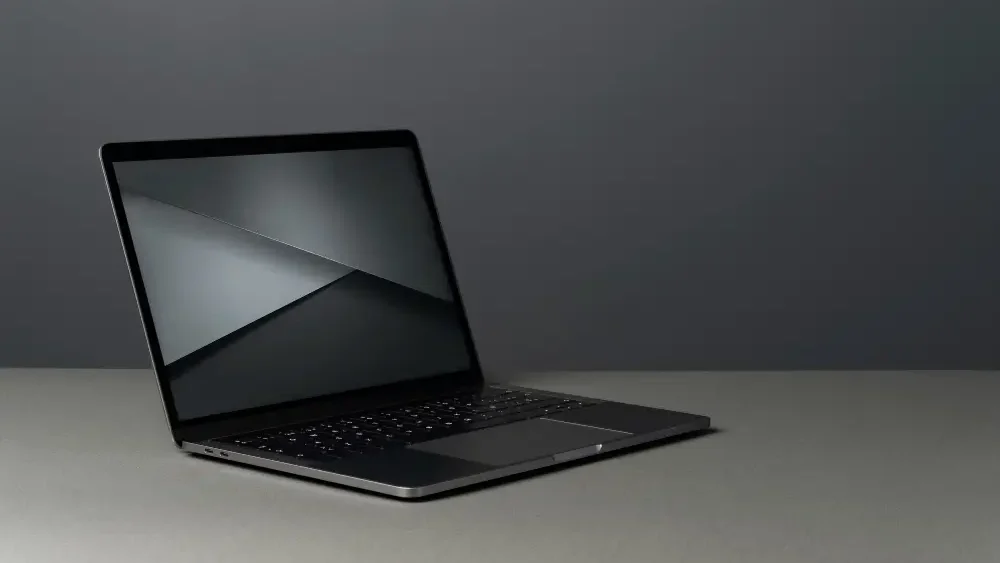
A laptop compresses an entire computing environment into a portable enclosure. The display, keyboard, battery, motherboard, storage, and cooling system operate inside a tightly constrained thermal shell designed for mobility first.
A desktop computer ignores mobility entirely.
That decision changes everything.
Desktop systems separate hardware into modular components. The monitor operates independently. Cooling systems scale aggressively. GPUs receive more power headroom. Airflow improves because physical space exists for it to improve.
The result is predictable: desktop computers sustain higher performance for longer durations without thermal throttling.
Laptops compensate with efficiency engineering.
Neither approach is universally superior.
The correct choice depends on workload intensity, movement requirements, and how long the machine must remain economically viable before replacement becomes unavoidable.
Portability Changes User Behavior
Mobility sounds like a convenience feature until workflow begins depending on it.
A laptop allows users to move between office desks, meeting rooms, client locations, and remote workspaces without interrupting the operating environment. Files remain local. Sessions remain active. Productivity survives location changes.
That flexibility reshaped modern work culture.
Remote employees rarely need dedicated office infrastructure anymore because laptops eliminate hardware dependency on fixed locations. Students work from libraries. Designers present drafts directly to clients. Developers debug software during travel.
Desktop systems cannot replicate that fluidity.
They remain anchored to permanent workstations because monitors, towers, power supplies, and peripherals create physical friction. Moving them becomes impractical.
The tradeoff appears immediately.
Portability forces manufacturers into smaller thermal envelopes. Smaller thermal envelopes restrict airflow. Restricted airflow limits sustained processing power under prolonged workloads.
Physics wins every time.
Thermal Engineering Defines Performance
Most consumers misunderstand computer performance because benchmark marketing distorts reality.
Peak performance means little if the system cannot sustain it.
Laptops often advertise powerful processors identical to desktop-class CPUs, yet thermal restrictions force those processors to reduce clock speeds during extended workloads. Video rendering exposes this instantly. Large spreadsheet calculations expose it again. High-resolution gaming reveals it within minutes.
Heat accumulation throttles performance.
Modern processors from Intel and AMD increasingly rely on aggressive boost algorithms that depend heavily on cooling headroom. Bigger fans move more air at lower noise levels. Liquid cooling becomes practical. Dedicated GPU airflow paths remain isolated from CPU heat zones.
The machine breathes properly.
This matters heavily for professional workloads. Video editors exporting 4K footage. Architects rendering complex scenes. Developers compiling large software environments. Financial analysts processing large datasets.
Under sustained stress, desktops maintain consistency while many laptops fluctuate between burst performance and thermal reduction cycles.
Consistency matters more than short benchmark spikes.
Laptop vs Desktop Computer Comparison in Upgradability
The laptop vs desktop computer comparison becomes brutally one-sided when hardware upgrades enter the discussion.
Desktop computers operate as modular systems. RAM upgrades take minutes. Storage expansion remains inexpensive. GPU replacements extend machine lifespan dramatically. Even CPUs can often be replaced depending on motherboard compatibility.
A well-built desktop survives years longer because individual components evolve independently.
Laptops rarely offer that freedom.
Modern ultra-thin designs increasingly solder RAM directly onto motherboards. Battery replacements require specialized disassembly. GPU upgrades are effectively impossible in most consumer models because graphics chips integrate permanently into compact board layouts.
Manufacturers optimize for thinness instead of repairability.
That design philosophy creates hidden ownership costs. When performance becomes insufficient, desktop owners replace one component. Laptop owners often replace the entire machine.
The economics are not equivalent.
Workspace Efficiency and Ergonomics
Minimal desk space appears attractive until prolonged work sessions begin damaging comfort and posture.
Laptops compress the keyboard and display into a fixed geometry. Users cannot independently adjust screen height and typing angle without external accessories. Over time, neck strain becomes common because displays sit lower than natural eye level.
Compact convenience creates ergonomic compromise.
Users investing in larger desktop monitors should also understand how panel technology changes contrast accuracy, brightness behavior, and long-session viewing comfort. Our detailed guide on OLED vs LED display technology explains what actually changes in real home viewing environments.
The productivity gain becomes measurable.
Spreadsheet analysis improves when data remains visible across larger displays. Designers benefit from accurate color-calibrated monitors. Programmers reduce context switching through dual-screen environments.
Physical workspace design directly influences cognitive efficiency.
That relationship rarely receives enough attention during purchasing decisions.
Power Consumption and Battery Dependency
Laptop systems survive because battery engineering matured aggressively over the last decade. Efficient processors now deliver respectable performance while maintaining all-day battery life under moderate workloads.
For mobility-focused users, that changes everything.
Coffee shops become temporary offices. Airports become functional work environments. Power outages become manageable interruptions rather than complete workflow failures.
Desktop systems provide no such flexibility.
They require uninterrupted power access. Once electricity disappears, productivity stops unless backup power infrastructure exists.
Still, desktop reliability introduces another advantage.
Battery degradation does not exist because no battery powers the system internally. Laptop batteries inevitably weaken over time due to charge cycle wear. Reduced capacity eventually limits portability unless replacements remain available.
Battery chemistry degrades regardless of marketing promises.
Gaming and Creative Performance
Gaming exposes hardware limitations faster than almost any other consumer workload because it stresses CPU, GPU, memory bandwidth, and thermal systems simultaneously.
Desktop computers dominate this category for one reason: unrestricted power delivery.
High-end desktop GPUs consume enormous wattage because performance scaling depends on energy availability and thermal dissipation. Desktop cooling systems accommodate that demand effectively.
Laptops operate under stricter thermal ceilings.
Manufacturers compensate through mobile GPU variants engineered for efficiency rather than maximum output. Performance remains impressive in premium gaming laptops, yet the cost-per-frame ratio usually favors desktops substantially.
The same pattern appears in creative production environments.
Video editors processing RAW footage require sustained GPU acceleration. Motion designers benefit from larger memory pools. Music producers need stable thermal performance during extended rendering sessions.
Desktop systems absorb these workloads with less compromise.
Cost Efficiency and Lifecycle Value
The initial price tag rarely reflects the real financial equation.
Laptop buyers pay engineering premiums for miniaturization. Compact cooling systems cost more to design. Battery integration increases manufacturing complexity. Thin chassis construction raises production expense.
Performance parity becomes expensive.
A desktop computer with equivalent processing power often costs less while offering stronger upgrade flexibility and longer service life.
That changes long-term ownership economics dramatically.
Businesses understand this well. Many offices deploy desktop workstations because centralized maintenance reduces replacement frequency. Failed components get swapped individually instead of replacing entire machines.
Home users increasingly ignore lifecycle cost.
They compare retail prices instead of calculating performance-per-dollar across a five-year ownership period. That mistake becomes expensive when non-upgradable hardware ages prematurely.
Security and Maintenance Realities
Security discussions around laptops and desktops usually remain shallow.
The real difference lies in physical exposure.
Laptops travel constantly. They connect to public Wi-Fi networks. They enter airports, cafés, coworking spaces, and client offices. That mobility increases theft risk alongside exposure to insecure network environments.
Portable convenience expands the attack surface.
Desktop systems remain physically stable inside controlled locations, making physical security easier to enforce. Office IT departments benefit from predictable infrastructure placement because endpoint monitoring becomes simpler.
Maintenance follows the same pattern.
Desktop interiors remain accessible. Dust cleaning takes minutes. Cooling upgrades remain practical. Fault diagnosis becomes easier because components separate cleanly.
Laptop maintenance demands precision disassembly.
That complexity increases repair costs and discourages long-term servicing.
Which System Makes More Sense?
The correct decision depends entirely on workload behavior rather than personal preference.
Users who travel frequently, work remotely, attend classes, or shift between multiple locations gain enormous value from laptops despite thermal and upgrade limitations. Mobility becomes operationally necessary.
Static environments favor desktops.
Home offices. Editing studios. Trading desks. Development workstations. Gaming setups. These scenarios reward sustained performance, ergonomic flexibility, and hardware longevity.
The laptop vs desktop computer comparison stops being confusing once buyers stop treating both systems as interchangeable devices.
They are not interchangeable.
They solve different operational problems through entirely different engineering priorities.
That distinction matters more than branding, aesthetics, or advertising campaigns ever will.