


In This Article
Every day, someone gets their password stolen or their bank account drained. What is Cybersecurity protecting you from right now, and are you actually safe? Usually, the answer starts with a phishing email, a reused password, or public Wi-Fi at a coffee shop.
Most people assume this is a problem for corporations or people who know nothing about tech. It is not. It is a problem for whoever’s online, which is everyone.
These 5 things would not make you a security expert. They will just make you a harder target, which is mostly what matters.
What is Cybersecurity actually mean
Cybersecurity is what stands between your accounts and someone who wants in on them. That includes your passwords, your bank, your photos, your messages, and anything that lives on a device or moves across a network. Attacks are not always dramatic. Most are opportunistic: someone reused a password, skipped an update, or clicked a link that looked fine.
One estimate puts an attack happening somewhere every 39 seconds. The targets are not usually chosen; they are just whoever was easiest. A few habits close most of those gaps. Use a different password for every account. A password manager handles this, so you do not have to memorize anything.
Turn on two-factor authentication. Update your apps when prompted, because a lot of those patches exist specifically to fix exploits attackers are already using. Avoid public Wi-Fi for anything sensitive; the coffee shop network is not encrypted, and someone nearby can intercept what you send.
That is mostly it. Not glamorous, but it works.
Common Types of Cyber Threats
Your bank account does not have to be interesting for someone to empty it. Hackers are not targeting celebrities; they are targeting whoever left the door open. The three threats that actually get people: phishing emails that impersonate your bank or a friend and harvest your password when you click; malware that installs itself silently through a dodgy download.
Ransomware that locks your files and asks for payment to return them. None of them announces themselves. Protecting yourself does not take much. Do not click links in unexpected emails, even ones that look legitimate; go directly to the website instead. Stick to HTTPS sites. Skip public Wi-Fi for anything sensitive, or use a VPN if you can not avoid it. Be skeptical of free software; a lot of it bundles things you did not agree to install.
And keep your phone and laptop updated; most patches exist because an active exploit was found, not as a precaution. One click is usually all it takes. So is one update.
How Cyber Attacks Happen
Hackers do not need sophisticated tools. Most breaches come down to someone clicking a link they should not have, or downloading an app that looked fine. The technology is almost secondary; human error is the actual vulnerability, and it shows up in study after study. To understand how these systems get exploited, it helps to know how the internet works at a basic level.
A few habits cover most of the risk. Before clicking any link in an email or message, pause. If something feels slightly off, urgency, unexpected sender, offer that is too good, close it. Go to the website directly instead. Avoid public Wi-Fi for anything sensitive; on an open network, someone nearby can intercept what you send. Turn on two-factor authentication wherever it is available, because a stolen password alone won’t get an attacker in if there’s a second step blocking them.
One thing people overlook: it is not just your phone or laptop. Your smart TV, your router, and any device connected to your home network are a potential way in. Same rules apply, update them, don’t use default passwords, and pay attention to what is connected. Your awareness is genuinely your best defense here. Not software, not antivirus. Just knowing what to look for.
How Cybersecurity Protects Devices
Your phone carries more about you than most people realize: bank access, personal photos, private conversations, and passwords saved in apps. Losing control of it, whether through malware, a breach, or physical theft, is a bad day that takes weeks to recover from. This is partly because modern devices run on a complex mix of hardware and software that each carry their own vulnerabilities.
Device security is not complicated, but it does require actually doing a few things. Install antivirus software and let it run in the background; it catches most threats before you’d even notice them. Use a password manager and stop reusing passwords; if one account gets compromised and you have used the same password elsewhere, attackers try it everywhere. Turn on biometric authentication and two-factor verification, because a stolen device with a fingerprint lock and a second sign-in step is genuinely hard to crack.
Keep a backup of important files somewhere offline or on external storage. Ransomware encrypts what’s on your device, not what is disconnected from it. None of this takes more than an afternoon to set up. Most of it runs quietly after that.
The Role of Strong Passwords
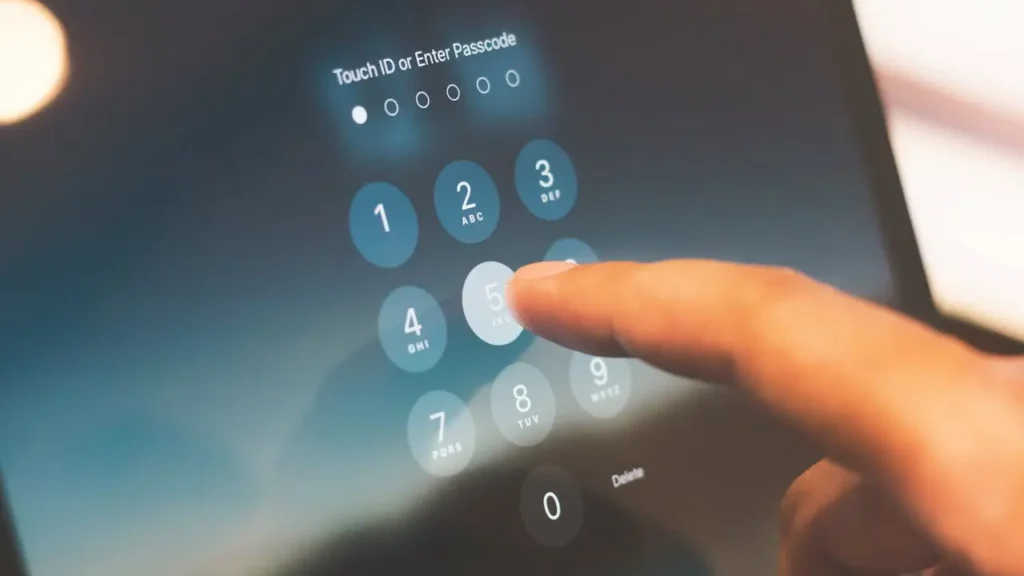
A weak password is not just inconvenient to fix; it is often the only thing an attacker needs. Most breaches do not involve sophisticated hacking; they involve someone reusing a password that leaked from another site, or using something guessable like a birthday or a pet’s name.
Length matters more than complexity. A 16-character password is orders of magnitude harder to crack than a short one with symbols thrown in. The easiest way to handle this: use a password manager like Bitwarden or 1Password. It generates strong, unique passwords for every account and remembers them so you don’t have to. You get one master password to remember instead of fifty weak ones.
Turn on multi-factor authentication wherever it’s available. Even if your password gets exposed in a breach, and with how often companies get hit, it probably will eventually. MFA means the attacker still can not get in without your phone or email confirmation.
That is really the full list. A password manager, unique passwords per account, and MFA. Takes an hour to set up, then mostly runs itself.
Safe Internet Browsing Practices
Most people do not think much about how they browse, open a link, enter some details, and move on. That is fine until it is not. Phishing pages, malware downloads, and tracking scripts do not look dangerous. They look like normal websites. A few checks go a long way. Before entering any personal information, confirm the site uses HTTPS, the padlock in the address bar.
HTTP sites expose what you type, particularly on public Wi-Fi, where someone nearby can intercept traffic. Keep your browser updated; a lot of exploits specifically target outdated versions. Block third-party cookies and run an ad blocker; these reduce how much of your browsing gets tracked across sites, and ad networks have been used to distribute malware before.
If you are on a network you do not control, such as a hotel, airport, or coffee shop, a VPN encrypts your connection and masks your IP. Worth using habitually rather than only when something feels sketchy.
One overlooked risk: browser extensions. They have broad access to everything you do in your browser. Only install ones from sources you trust, and periodically check what is installed.
Cybersecurity on Mobile Devices
Your phone is a more sensitive target than most people treat it. It has your bank access, your location history, your messages, your saved passwords, and mobile attacks have grown sharply in recent years, mostly through ordinary-looking apps, fake links, and SMS phishing.
The risks are real, but the defenses are straightforward. Only download apps from official stores, and check permissions before approving them. An app that wants microphone or contacts access for no obvious reason is worth questioning. Keep your phone updated; security patches exist because specific vulnerabilities are already being exploited, not as a precaution. Enable automatic updates and stop deferring them.
For two-factor authentication, use an authenticator app rather than SMS. SIM swap attacks, where someone convinces your carrier to transfer your number to their device, are more common than they sound, and SMS codes go with the number. An authenticator app stays on your physical device. Set a PIN on your SIM card too; most carriers support this, and almost nobody does it.
Avoid public Wi-Fi for anything sensitive. If you can not, a VPN encrypts the connection.
Why Cybersecurity Matters for Everyday Users
You do not need to be wealthy or prominent to be a worthwhile target. Most attacks are not selective; they hit whoever is easiest, and everyday users are often the least defended. In 2023, the FBI recorded over 880,000 cybercrime complaints totaling $12.5 billion in losses, the majority from ordinary people.
The trail you leave online is larger than most people realize. Your location, workplace, daily routine, and social connections, scattered across platforms, it adds up to a detailed profile.
That information gets used for phishing, identity theft, and account takeovers. A few things help. Review your privacy settings on social media and limit what is visible publicly; most platforms default to showing more than you’d want. Be deliberate about what you post; your location and routine are more useful to an attacker than they might seem.
For sensitive conversations, use apps with end-to-end encryption. Every account with financial or personal information should have a strong, unique password and two-factor authentication turned on. None of this is complicated. It is mostly just paying attention to settings you have probably never revisited.
The Growing Importance of Cyber Awareness
Most people who get scammed online are not careless; they just never learned what to look for. Cybercrime costs are staggering globally, and a big part of why is that basic security awareness still is not common knowledge. Attacks have gotten harder to spot, too.
AI-generated phishing messages now read like they came from someone you know. That is a direct result of how far artificial intelligence has advanced in recent years.
The first skill worth building is simple: pause before acting on anything unexpected. A password reset you didn’t request, an offer that seems too good, an urgent email from your bank, these are the setups for social engineering attacks. The attack only works if you respond quickly without thinking.
From there, learn a little and keep learning. Free resources exist, such as short courses, YouTube explainers, and newsletters from security researchers. Tactics shift constantly; smishing and voice phishing are now as common as email scams. Staying roughly current matters more than being an expert.
One underrated habit: talk about this stuff with people around you. A family member who knows what a phishing message looks like is genuinely harder to target. Security awareness spreads, and it doesn’t require any technical knowledge to pass on.
Texora Verdict
Long-term user sentiment on cybersecurity guides is consistent: the advice is almost always the same, and most people still do not follow it. That gap is not a knowledge problem; it is a friction problem. Password managers feel like extra work until the day they are not. Two-factor authentication feels annoying until an account gets compromised.
This guide covers the right ground, and the real-world framing helps. No phantom statistics, no manufactured urgency. Just the actual attack surface that most people expose without realizing it.
The value here is in the sequencing. Start with passwords and MFA; everything else is secondary. Browser hygiene, VPNs, and mobile permissions matter, but they would not save you if your email account uses fluffy2009. Get the fundamentals locked first. Then layer from there.
What are the 4 elements of security?
Security has four jobs: keep your data private, keep it accurate, keep it accessible, and make sure only you can reach it. One weak password threatens all four at once.
Strong passwords, two-factor authentication, and regular updates are not separate tasks. They are how all four hold together.
What are the 5 essential elements of cybersecurity?
Cybersecurity runs five stages: identify, protect, detect, respond, recover. Most people handle the first two and ignore the rest. Detection means alerts. Response means knowing what to do when one fires. Recovery means a backup that is not on the device you just lost. The last three are where most people are caught off guard.
10 interesting facts about cybersecurity
95% of breaches come down to human error. Not sophisticated attacks, mistakes.
Strong passwords, two-factor authentication, and think before clicking. That covers most of it.
What are three security models?
Three models run modern security.
1. Zero Trust verifies everything, even inside your network.
2. Defense in Depth layers protection so one failure is not fatal.
3. The CIA Triad keeps data confidential, accurate, and accessible only to the right people.
In practice: stack your defenses, verify before you trust, back up what matters
What are L1, L2, and L3 in cybersecurity?
L1, L2, and L3 are tiers of security response. L1 catches everyday threats. L2 investigates what L1 can not handle. L3 takes on the complex attacks that require specialist knowledge. Most security tools run this structure quietly in the background.