

In This Article
You use a laptop every day. But if someone asked you right now to explain the difference between hardware and software, what would you say? Most people fumble it, not because it is hard, but because nobody ever explained it plainly. The hardware vs software distinction is actually one of the simpler ideas in tech.
Hardware is the physical stuff. Software is the code. Your hand versus the words it writes. That is basically it. The 7 differences below fill in the rest, useful next time something breaks, and you are trying to figure out whether it is the machine or the program.
What Is Hardware?
Hardware is every physical part of your computer or phone, the keyboard, screen, mouse, and the processor humming inside. If you can touch it, it is hardware. Think of it as the body. Software needs something to run on, and that something is always physical.
When your laptop slows down or gets hot, it’s often a hardware problem, not a buggy app. Heat does real damage over time; a machine that runs hot constantly will wear out faster than one that does not. Keep it somewhere with airflow. Do not use it on a bed or couch for hours with the vents pressed into the fabric? Physical damage is also a different category of problem. You can not patch your way out of a cracked screen or a dead chip.
A corrupted file gets fixed with a reinstall. A broken component needs a repair, and repairs cost money. Cheap hardware tends to show its limits fast. A slow processor or a failing drive does not just annoy you in the moment; it slows down everything you do, every day, and usually ends up costing more to fix than a decent machine would have cost to begin with.
Common Types of Hardware Components
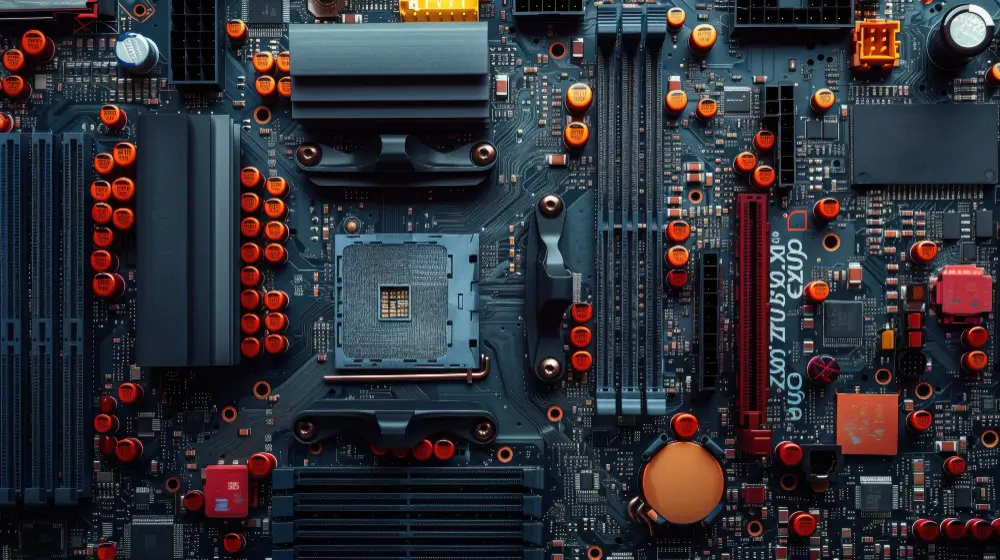
Your computer runs on five components working together. The CPU handles every action you take. RAM keeps your open apps loaded, so switching between them doesn’t lag. Storage holds your files. The motherboard connects everything. And your keyboard, screen, and mouse are how you actually talk to the machine.
When something feels off, slowdowns, freezes, and unexpected crashes occur, it is usually one component struggling and pulling the rest down with it. A RAM shortage, a failing drive, a processor that is just too old for what you are asking it to do.
This matters practically. If a repair shop tells you something needs replacing, you should have enough context to ask a real question. If you are buying a laptop, you should know which numbers on the spec sheet actually affect your day-to-day use.
A few things that come up constantly: if your computer feels slow, check RAM first; it is usually the cheapest fix with the most noticeable result.
If you are choosing between an SSD and a traditional hard drive, pick the SSD; the difference in boot time and general responsiveness is hard to overstate. And keep your laptop on a hard, flat surface; blocked vents mean heat builds up, and sustained heat is what quietly kills components over months.
What Is Software?
Software is everything on your device that you can not touch, the reason WhatsApp opens when you tap it, YouTube loads, and your files are saved. It is all just instructions running on hardware you can hold in your hands. The relationship is simple: hardware is the machine, software is what makes it do something. Without an operating system, a laptop is just a slab of components. They need each other.
Most device problems that feel mysterious are not. Slow performance, random crashes, unexpected behavior, a lot of it comes down to software that hasn’t been maintained. Updates are the obvious ones people skip. They are not just new features; they close security gaps that are often already being used by the time the patch comes out. An unpatched device is not just outdated; it is specifically vulnerable in ways that are publicly known.
Where you download software matters, too. Most malware does not arrive through sophisticated attacks; it arrives because someone downloaded something from a random site that looked legitimate. Official sources exist for a reason: the App Store, Google Play, and the developer’s own page. Running antivirus software is sensible. It catches a lot of common threats. But it works best alongside basic habits, updating regularly, downloading carefully, not instead of them.
Types of Software
Your device runs on three types of software, each doing a different job. System software, Windows, Android, and iOS, is the base layer. It runs quietly in the background and makes everything else possible. You don’t interact with it much, but nothing works without it. Application software is what you actually open and use: WhatsApp, YouTube, Word, your camera. These sit on top of the system and do specific things.
Utility software, antivirus, disk cleaners, backup tools, keep the other two in shape. Most people ignore it until something breaks. Knowing these three categories is useful when something goes wrong. One app crashing points to that app. Everything crashing, or a device that would not start, usually means system software. A machine that has gotten slower over the months often has too many applications installed, each quietly using memory in the background, even when you are not touching them.
System updates are worth doing promptly; they close security gaps that are often already being exploited when the patch comes out. Clearing out apps you do not use anymore helps more than most people expect. And the occasional antivirus scan catches things that normal daily use walks right past.
The difference becomes clearer when you put them next to each other.
| Hardware | Software | |
| What is it? | Physical parts you can touch | Code and instructions you ca not touch |
| Examples | CPU, RAM, screen, keyboard | Windows, WhatsApp, antivirus |
| How long does it last? | Years, until physically damaged | Can be updated, replaced, or reinstalled anytime |
| When it breaks | Needs physical repair or replacement | Usually fixable with a restart, update, or reinstall |
| Cost to fix | Almost always costs money | Usually free |
| Can it work alone? | No, needs software to function | No, needs hardware to run on |
How Hardware and Software Work Together
Hardware and software depend on each other completely. Hardware is the physical machine, processor, memory, and storage. Software is the instructions running on it. Neither does much without the other. Every action on your device involves working at the same time. Tapping an app, streaming video, sending a message, your hardware is executing it, your software is directing it.
It all happens faster than you can perceive, which is why it feels seamless when it works and genuinely maddening when it does not. Most compatibility problems come from this relationship getting out of balance. A heavy app on a phone with limited RAM will struggle, not because anything is broken, but because the software is asking for more than the hardware can deliver. The same mismatch happens when a new OS update drops support for older chips.
Force it anyway, and you often end up with something that technically runs but feels worse than before. Checking minimum requirements before installing something demanding takes about thirty seconds and skips a lot of that frustration. If your device is already slow, RAM is usually the first thing worth examining; more of it means the system can keep more active at once without constantly swapping things in and out.
Storage headroom matters too; a nearly full drive slows things down in ways that are not always obvious until you clear space and notice the difference.
Key Differences Between Hardware and Software
The most useful hardware vs software distinction is not technical; it is about what breaks differently and what that costs you.
Hardware is physical. You buy it once, and it lasts until something visibly fails: a cracked screen, a dead battery, a motherboard that ran hot for too long. When hardware goes, fixing it costs money. Sometimes, more than the device is worth.
Software problems look similar from the outside but behave completely differently. A slow device, a battery draining too fast, and apps crashing.
These often have software causes, and software causes are usually free to fix. A restart helps more than it should. Clearing cache, updating the OS, wiping and reinstalling, most devices that feel broken just need maintenance, not replacement.
People replace a lot of perfectly working hardware because they do not know this. A factory reset or a proper software cleanup would have solved it. Before spending anything on a new device, spend twenty minutes ruling out software first. It’s almost always worth checking.
When you are buying something new, weigh hardware quality over software features. Apps change, operating systems update, and software gets replaced. The processor, the build, and the battery capacity, those are harder to change later, and they determine how long the device actually stays usable.
Examples of Hardware and Software in Daily Use
Hardware and software show up in everything you already use. Your phone screen is hardware; WhatsApp running on it is software. Your keyboard is hardware; Word is software. The router in the corner is hardware running firmware that manages your connection. Once you have the distinction, you start seeing it everywhere. It is actually useful when something breaks. Most people can not tell whether a problem is physical or software-based.
which is how they end up at a repair shop for something a settings reset would have fixed. A phone that would not connect to WiFi might have a hardware fault, or it might just need the network settings cleared. Checking the software side first costs nothing. A few habits that follow from understanding both: phone storage fills up gradually and slows things down more than people realize, and clearing out unused apps and cached data occasionally makes a real difference.
Charging on soft surfaces like beds or pillows blocks the vents and lets heat build up, which wears hardware down over time without any single dramatic moment. And keeping important files in two places, a USB drive and something like Google Drive, means one failure doesn’t take everything with it. Hardware fails. Cloud services go down. Both together is just common sense.
Why Both Are Important
Hardware and software are not separate concerns; they are the same concern. One without the other does not produce a slow device; it produces no device. An operating system with no processor to run on is just a file. A processor with no software is a chip sitting on a board doing nothing. The dependency shows up everywhere. Hospitals monitor patients through hardware running medical software.
Banks process transactions on physical servers managed by code. Your phone call moves through hardware infrastructure that software coordinates at every step. Pull either layer out, and nothing functions, not slower, just not at all. For day-to-day use, this means both need attention. A well-specced laptop running a two-year-old unpatched OS is vulnerable in specific, documented ways; the hardware quality does not cover for it. Good security software can not recover a drive that is already failing.
They do not compensate for each other; they each have their own failure modes. The maintenance is not complicated. Use a case. Clean dust from vents occasionally. Update your OS and security software when patches come out rather than dismissing the notification. Most device problems that feel sudden have been building on one side or the other for months. Catching them early on both fronts is easier than recovering from either one after the fact.
Hardware and Software in Other Devices
Most people mentally file hardware and software under “laptop and phone” and stop there. But the same combination runs your smart TV, router, and car. A modern vehicle has more lines of software code than most computers, managing brakes, sensors, climate control, and navigation. Just hardware and software in objects we do not usually think about that way.
The vulnerabilities follow the same logic. A smart TV on outdated firmware has the same exposure problem as an unpatched laptop; nobody just thinks to check the TV. Routers are the most neglected device in most homes, and also the single point through which every other connected device passes traffic. Old router firmware is a more serious problem than most people realize.
Curious how your router actually connects every device in your home? how the Internet Works breaks the whole process down in plain terms.
The fix is not complicated. Router and smart TV firmware updates take a few minutes. Restarting smart devices occasionally clears the memory buildup that causes slowdowns, which people usually blame on their internet provider. And keeping your active device count within what your router can handle keeps the whole network stable. Most home routers start struggling well before anyone expects.
Common Misunderstandings
The most expensive tech belief is that a slow computer means a virus. Most of the time, it does not. Too many startup apps, a full storage drive, and months without a restart cause the majority of slowdowns people pay repair shops to fix. The second one: buying a new device would not fix bad habits. If you never update software, download from random sites, and never clear the cache, a new laptop will feel broken within weeks.
The problem travels with you. Third: iPhones and Android phones aren’t immune to attacks. Every device running software can be compromised, including phones, smart TVs, and routers. Outdated firmware is outdated firmware regardless of the brand.
Before going to any repair shop, try three things first: restart completely, delete unused apps, and run a free antivirus scan.
These fix most of what shops charge heavily to “diagnose.” If a shop says your hardware needs replacing, ask them to show you evidence. Most slow-device problems are software, free to fix, just annoying to sit through. More RAM also would not save a device bloated with unnecessary background processes. Sort the software first.
Conclusion
Hardware and software are not complicated, just two sides of the same thing. One you can touch, one you can not. One breaks physically, one breaks quietly. One costs money to fix, one usually does not. Most device problems have straightforward explanations once you know which side to check first.
A slow device is not dying hardware. A crashed app is not automatically a virus. And a repair shop visit is not automatically necessary. Keep your hardware physically safe, keep your software updated, and check the free fixes before assuming the expensive ones. That handles most problems most people ever run into.
Is a CPU hardware or software?
The CPU is pure hardware, it is the physical chip sitting inside your device that you can actually touch and hold. It is the brain of your computer, processing every click, command, and calculation you throw at it. Without it, no software in the world can run, not even for a single second.
Can software exist without hardware?
No, software without hardware is like a recipe with no kitchen, no ingredients, and no cook.
Software is just instructions. It needs a physical processor to execute them, physical memory to hold them, and physical storage to live on. Take the hardware away and software is nothing but code nobody can run.
What are the 5 main hardware?
Every device runs on five core physical components working together every second. CPU processes your commands, RAM keeps your apps running, storage holds your files, the motherboard connects everything, and input/output devices like your keyboard and screen let you actually use it. Weaken any one of these and the whole experience suffers.
What are the three types of software?
Every device runs on three types of software, each doing a completely different job.
System software like Windows or Android keeps everything running underneath. Application software like WhatsApp and YouTube is what you actually use daily. And utility software like antivirus quietly protects and maintains everything in the background.
Is AI software or hardware?
AI is software, it is code and algorithms running on hardware, not something you can physically touch or hold. But it is unusually demanding software. Training and running AI models requires serious hardware underneath, powerful processors, massive memory, and specialized chips like GPUs that handle the heavy lifting. The intelligence is software; the muscle powering it is hardware.
That answer only scratches the surface. If you want the full picture of what AI actually is and where it shows up in real life, this covers it: What is Artificial Intelligence