

In This Article
You had three ideas before lunch. You remember one of them. That is the actual problem, not motivation, not discipline. Just nowhere for thoughts to land before they vanish.
A decent note-taking app does not transform how you work; it mostly stops you from losing things you already figured out. Here are the ways that people actually keep using after the first week.
What Note-Taking Apps Are
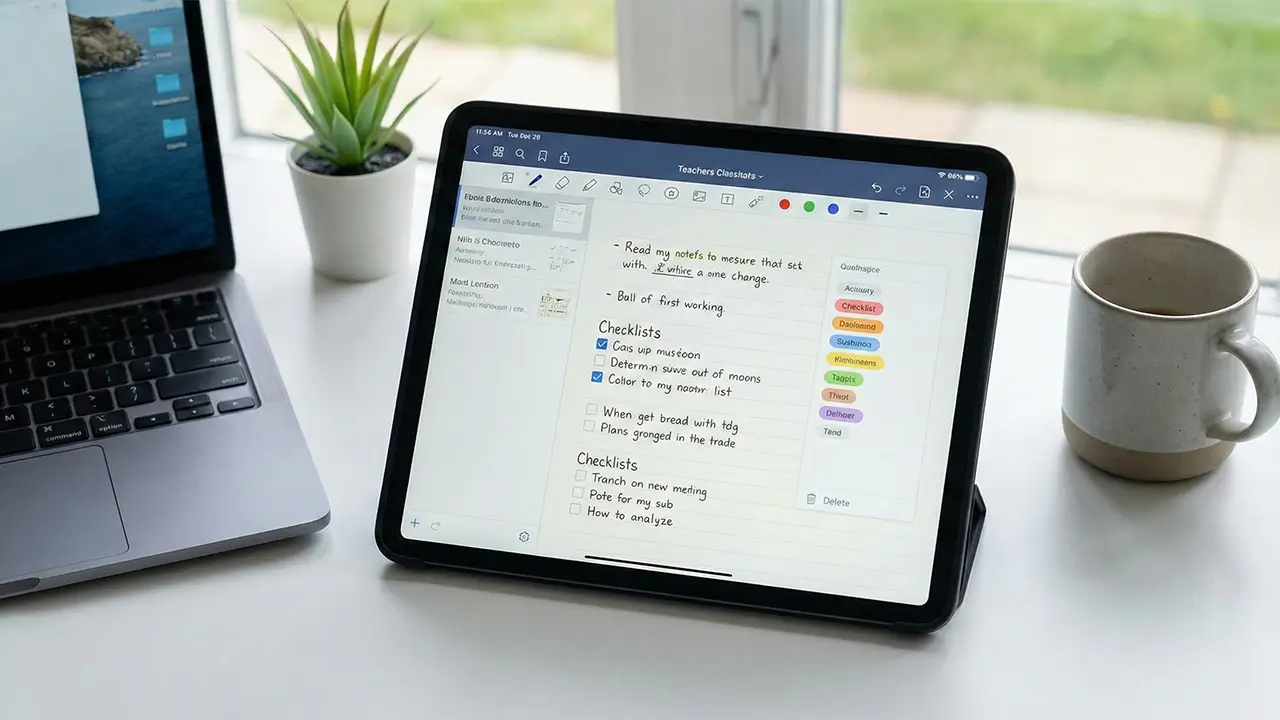
Note-taking apps are digital tools designed to record and store written information. They replace or supplement paper notebooks by allowing notes to be created, edited, and saved electronically.
These apps can store text, lists, images, and sometimes audio or links. Notes are usually saved automatically, reducing the risk of losing information. For those looking to take their digital organization a step further with professional layouts, exploring how Claude Design can streamline your creative workflow is a great next step.
Centralized Information Storage
You know the file exists. You saved it somewhere. Now it is buried in emails, split across three apps, or sitting on a laptop that is not with you, and nobody on the team is sure which version is actually final.
This is a data silo problem, and it is quieter than it sounds. No single disaster, just constant small delays: wrong version edited, time spent asking around, decisions made on outdated information.
Three fixes that actually work: Pick one place for everything and use it consistently. A centralized system only helps if the whole team actually puts things there; the tool matters less than the habit. Turn on version control. It takes five minutes to set up and saves the “wait, which one is final?” conversation from happening weekly.
Enable two-factor authentication on whatever you choose. Centralized storage is convenient right up until it is not secured. The goal is not a perfect system. It is one place people trust enough to check first.
Teams that combine centralized notes with file-sharing tools tend to spend less time hunting for documents altogether.
Faster Note Creation and Editing
Most note-taking apps make you work to reach a blank page. Two taps, three taps, a loading screen. By then, the thought is gone, and you are reading your old notes instead. The ones worth using get out of your way. Lock screen widget, one keyboard shortcut, done. That’s it. That is the whole pitch for fast capture.
The editing stuff, checklists, drag-and-drop blocks, and formatting matter less than people think when choosing an app, and more than they expect once they are actually using one. A note you do not have to untangle afterward is quietly useful in a way that is hard to explain until it is not happening.
Two habits that actually help: make one template for whatever you write most often (meeting notes, daily plan, it does not matter), and learn a handful of shortcuts. Voice-to-text is also worth trying if you have not, not as a gimmick, just as a way to think out loud without losing it.
This works because of advances in AI-powered voice-to-text that have made spoken input accurate enough for real work.
Easy Organization With Folders and Tags
The problem with scattered notes is not volume; it is retrieval. You know the idea exists. You just can not find it. Search helps when you remember how you phrased something. Folders and tags help when you do not.
Folders separate contexts: work, personal, projects. Tags cut across them. One client meeting note can sit in “Work” and carry an “Urgent” tag without copying it anywhere. Once you have more than a few dozen notes, this stops being a nice-to-have. Three folders to start. That is the actual advice.
Most people build an elaborate folder system before they have enough notes to need one, which is just procrastination with better aesthetics. Add a tag when you create the note. You will not go back and tag things later. Nobody does. Nested folders are worth using on bigger projects, one parent folder, a couple of subfolders inside. Do not go deeper than two levels, or the system starts requiring maintenance, and then you stop using it.
Quick Search and Retrieval

There is a study, Microsoft, widely cited, that puts information retrieval at roughly 1.8 hours of the average workday. Whether your number is that high or half that, the pattern is familiar: you open the wrong note, close it, try a different search term, give up, rewrite something you already wrote somewhere.
Full-text search is the feature that actually fixes this, more than folders or tags or any organizational system. You type a word. The app finds it. That is the whole thing. What separates the good implementations from the bad: whether search reaches inside attachments, PDFs, and images, not just note titles. The note you can not find is usually a screenshot. Also worth checking: OCR and image search are sometimes locked behind a paid tier, so confirm before committing.
Two small habits that reduce searching altogether: write an actual first line in every note (search results surface it like a headline, and “Untitled” is useless at 11pm), and pin the five notes you open every day. You shouldn’t be searching for things you need constantly.
Supporting Task Management and Planning
Forgetting a task is not a discipline problem. It is a storage problem. Things kept in your head compete with everything else in your head, and urgency usually wins over importance. The practical argument for note-taking apps with built-in task features: the action item stays next to the thing that created it.
You capture a meeting note, add a checkbox for the follow-up, and set a reminder. Done. No copying things between apps, no separate to-do list that is already three days behind. Notion and Amplenote connect notes to task planners natively, useful if you do not already have a system you like. If you do, adding another one probably just creates a second place to ignore. If you want to go deeper, dedicated task management tools handle complex workflows that note apps alone can not.
The habits that actually help are boring: write the next action at the bottom of every note before you close it, break projects into daily steps rather than one large intimidating goal, and put a date on anything you actually need to finish. A task without a deadline is easy to defer. Most deferred tasks don’t come back.
Access Across Devices
You finish half a report on your laptop, step out, and your phone has none of it. That specific frustration is avoidable, and most people are still putting up with it unnecessarily. The fix is boring: cloud sync, turned on, automatic. Google Drive, Dropbox, OneDrive, pick one you’ll actually use and make sure it is running on every device. The best sync service is the one you don’t have to think about.
For notes specifically, OneNote is the easy recommendation. Free, works on everything, does not require you to buy into an ecosystem you do not already use. One thing people overlook: a password manager with cross-device sync. Not glamorous, but “forgot password” kills more momentum than a bad app ever will.
The broader filter when choosing any tool: does it work on every screen you actually use? If the answer is mostly yes, except. That exception will eventually matter at the worst time.
Reducing Information Overload
Forty-seven unread emails, three Slack pings, twelve open tabs. At some point, the brain just stops. That is not weakness; it is what happens when incoming information outpaces your ability to process it. A substantial majority of workers report that information overload causes daily stress.
The effects are not dramatic, just steadily worse decisions, slower work, and a tiredness that does not match what you actually finished. Four things that help: Write down three or four tasks with real deadlines. Not everything, just what actually matters today. The list stops your brain from holding it all at once. Protect one uninterrupted stretch of time. An hour, notifications off. Most things can wait ninety minutes.
Go through your notification settings once and turn off anything that does not need a same-day response. You would not miss most of it. The same logic applies to communication tools; fewer active channels means fewer interruptions competing for your attention. Stop working at a consistent time. Reading emails at 10pm does not finish the work; it just follows you to bed.
Common Concerns About Digital Notes
Switching to digital notes comes with real tradeoffs, and the hesitation makes sense. Cloud storage means your notes are somewhere you do not fully control. Devices die. And opening a note-taking app on your phone while notifications are piling up is a legitimate focus problem, not just a willpower issue.
A few things worth doing: Back up regularly. Most apps do this automatically; check that it is actually on, not just assumed. Enable two-factor authentication on anything storing sensitive notes. Takes two minutes and removes a real vulnerability. If typing feels slower than thinking, try a stylus on a tablet. Research does suggest handwriting improves retention, and the notes stay searchable, a reasonable middle ground if pen-and-paper is what you’re giving up.
For distraction, the honest fix is a separate device or app with notifications off. Distraction blockers help, but they are fighting the phone’s entire design. Removing the temptation beats managing it. None of this is complicated. It’s mostly just a setup you do once.
Texora Verdict
Long-term user reports tell a consistent story: people do not abandon note-taking apps because the features are bad. They abandon them because the setup never matched how they actually work. The marketing shows clean dashboards and zero-friction capture. The reality is three weeks of good habits, then a folder system nobody maintains, and a search bar doing all the heavy lifting. That gap between promise and practice is where most apps lose people.
The value is real, but narrow. Fast capture, full-text search, and cross-device sync- those three things genuinely earn their place. Everything else, nested folders, elaborate tagging, and built-in task planners, depends entirely on whether you will maintain them past month one. Most would not. Pick an app that does the basics without requiring you to become a different person to use it. That is the whole decision.
What are the benefits of note-taking apps?
You know that thought you had this morning, the good one? It is gone now. Note-taking apps exist specifically for that problem, giving your ideas somewhere to land before your brain moves on to the next thing. Once everything is captured, searchable, and synced across your devices, you stop recreating work you already did.
Best note-taking app for students?
Most students do not lose marks because they studied incorrectly; they lose them because their notes were a mess when it mattered. OneNote is free, works on every device, and does not need any setup to start using it today. Open it before your next class and just write.
What is the 3 2 1 note-taking strategy?
Most people take notes and never look at them again. The 3-2-1 strategy fixes that in under five minutes. Write 3 key ideas, 2 things you found interesting, and 1 question you still have. That is it, your brain actually processes the information instead of just collecting it.
What is the list method of note-taking?
If your notes look like a wall of text you never want to read again, the list method is the fix. You write information as short, separate points instead of full paragraphs, one idea per line, nothing buried, nothing missed. It is the fastest way to take notes you’ll actually go back to.
What are some tips for note-taking?
Bad notes are not a writing problem; they are a habit problem. Write the first line like a headline, add one tag before you close the note, and put the next action at the bottom every single time. Three habits, done consistently, beat any elaborate system you’ll set up once and never maintain.
2 comments
Great insights. and it saves time.
Glad you found the insights useful. Efficient media management is a huge part of staying productive in the digital space. We are always looking into tools that streamline workflows, and saving time is the ultimate goal for our readers. Stay tuned for our upcoming deep dives into more advanced media automation tools.