

In This Article
If you’ve spent any time looking into this topic, then I’m sure you’ve run across three or four pieces of advice telling you that AI-powered podcast editing tools are speedy, DAWs are precise, and “the best solution is a combination approach.” ” Well, that’s fine and cool, but useless when you’re faced with a half-hour-long interview file right now.
So here’s what this guide does differently: it’s based on actually editing the same episode both ways, real 2026 pricing for the tools people actually use, and a few things almost nobody mentions, like what happens to your audio after you upload it, and what happens to your workflow if the AI startup you depend on shuts down. If you’re a freelancer trying to protect your margins, a startup founder producing a show on the side, or someone who just recorded their first episode and has no idea where to even open the file, this is written for you.
What’s Actually Different Between AI-Powered Podcast Editing Tools and Traditional DAWs
When all the marketing buzz is stripped away, the key difference lies in the matter of control.
Traditional DAWs: In a typical DAW consider Adobe Audition, Logic Pro, REAPER, or even free Audacity; the user starts with an empty slate and an endless array of options to use. Every cut is made based on user preference, every track gets the right volume, every voice is given a unique EQ curve, every intro the right amount of reverb, etc. Everything depends on the user.
AI-Powered Podcast Editing Tools: However, with an AI-powered podcast editor, consider Descript, Riverside, Adobe Podcast, Auphonic, and Cleanvoice; the process changes drastically. The user uploads raw audio, and the program does its initial work: transcribing the discussion, removing filler words, cutting dead space, balancing the volumes of different speakers, and creating an almost ready episode for review and further edits.
Neither is superior in general. A solo creator publishing twice a week needs speed. A branded show with music stings and multiple voices needs control. Most people reading this will actually want both just not necessarily at the same time. AI-Powered Podcast Editing Tools Traditional DAWs Best for Fast turnaround, conversational shows Precise mixing, layered/scripted audio Learning curve Hours Weeks to months Editing style Edit the transcript, audio follows Edit the waveform directly Typical cost $0–$65/month subscription Free to one-time purchase (mostly) Where it struggles Nuanced sound design, nailing a specific mix Speed on repetitive cleanup tasks
We Timed It: AI Podcast Editing Tools vs Manual DAW on the Same Episode
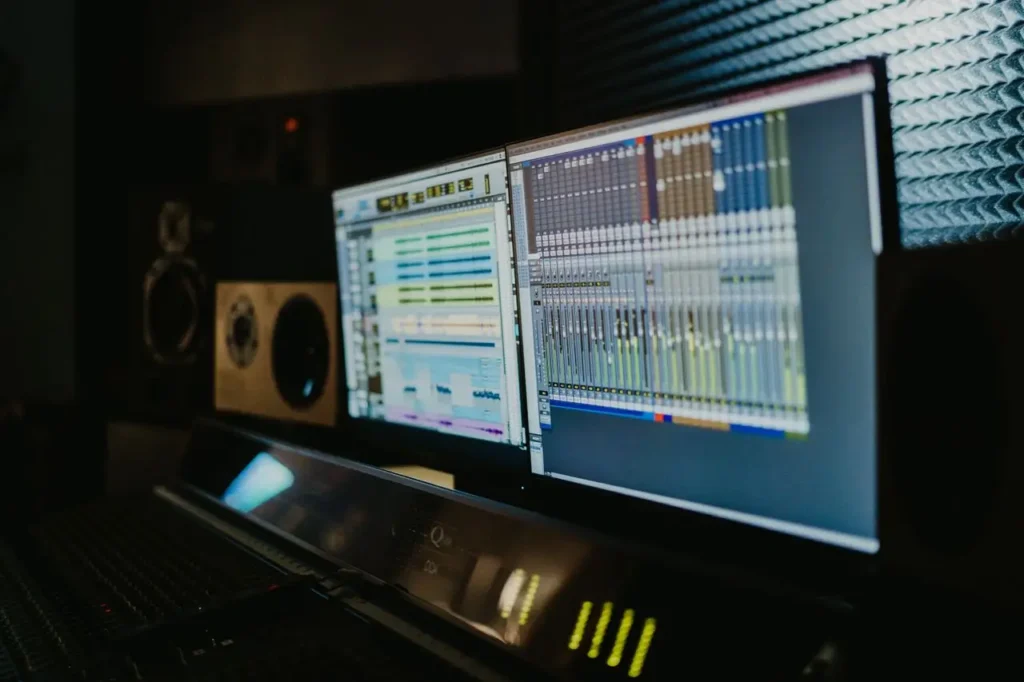
Numbers speak louder than adjectives, so here is the true test: an interview conducted by two people, lasting 52 minutes, with separate tracks, all the filler words you would expect, a barking dog at minute 19, unbalanced sound levels since one of the hosts is sitting nearer the microphone than the other, and six minutes of silence altogether.
In Descript: upload and transcription took about 9 minutes for the file to process. Reviewing the auto-detected filler words and cutting them took roughly 12 minutes, since a few flagged “so”s and “like”s were actually load-bearing words in the sentence and needed to stay. Silence trimming was close to instant: a slider, a preview, done. Leveling between speakers was one click using Studio Sound. Hands-on time total: around 35 minutes, mostly spent looking at what the AI had suggested rather than suggesting.
On Audacity: the same episode took under 2 hours 40 minutes. Finding and cutting filler words meant scrubbing through the waveform by ear, since there’s no transcript to work from. Leveling the two speakers required manually applying compression and gain automation to each track separately. The dog’s bark needed a manual noise-reduction pass with a custom noise profile, which the AI tool handled automatically and honestly did a slightly better job with.
Where the gap closed: once both versions were “clean,” adding a two-second fade on the intro music and matching loudness to -16 LUFS for podcast distribution took about the same amount of time in either tool: a few minutes. The AI edge is purely in the repetitive first draft work, not the polishing final edit.
Takeaway: if your podcast is conversational and requires only editing, AI will literally save you actual time, not just “copywriting time.” If your show needs custom sound design, that advantage shrinks fast, because that work was never automatable in the first place.
Real 2026 Pricing Compared (Named Tools, Not Ranges)
Pricing information with broad price ranges is not helpful for your budgeting needs. Here are the prices of the software as of 2026 remember that AI-tool pricing changes more often than DAW pricing, so take these as a good starting point.
AI-powered podcast Editing tools:
- Descript: Free (transcribe 1 hour of audio per month, watermarked export files), Hobbyist $16/month annual billing cycle, Creator $24/month annual. The catch: plans are metered by media hours, not just features, so a busy show can hit the ceiling before the month is out.
- Riverside: Free plan (2 hours of recording/month, 720p), paid tiers roughly $19–$29/month annually depending on resolution and transcription hours needed. Strongest for remote interview recording plus editing in one place.
- Adobe Podcast (Enhance Speech) : Free tier covers 1 hour of processing a day; Premium is about $10/month. This is cleanup only, not a full editor; pair it with something else for assembly.
- Auphonic: Free tier covers about 2 hours of processing a month; after that, it’s pay-as-you-go by the hour. The free tier offers 1 hour of processing per day, while the Premium tier costs around $10/month. Perfect for doing a light leveling/mastering on your track instead of an entire edit.
- Cleanvoice: Focuses on cleanup (filler words, mouth sounds, silences), with pay-as-you-go pricing, targeting those who already own a DAW and just want the tedious part automated.
Traditional DAWs:
- Audacity: Free, open source, no subscription ever. The best-value option on this entire list if your time isn’t the constraint.
- Hindenburg Pro: Around $12/month or roughly $120/year, with a one-time perpetual license option near $375. Worth calling out specifically because it’s a DAW built for spoken-word audio, with auto-leveling and a story-based editing workflow, arguably a more relevant “traditional” option for podcasters than Pro Tools.
- Adobe Audition: Bundled with an Adobe Creative Cloud plan, generally $20–$35/month depending on the bundle.
- Logic Pro: Purchase one-time at approximately $200 (works on Mac).
- REAPER: Approximately $60, which is one of the lowest priced full-featured DAWs.
The important pattern to observe here: While AI software offers a lower initial payment for a higher ongoing subscription that depends on how many edits you make, the DAWs (excluding Adobe DAWs, which have a subscription system) require a one-time fee that will not rise depending on edits made. If you’re a freelancer editing for multiple clients, that math matters; a DAW you already own doesn’t get more expensive as your business grows.
What Nobody Tells You: Data Privacy and Audio Ownership
Here’s a question almost no comparison article asks: when you upload a raw interview to a cloud-based AI editor, where does that audio actually go?
Most AI podcast tools process your file on their servers, which means your recording, including anything a guest said off the cuff, anything sensitive, any part you planned to cut temporarily or permanently, exists on infrastructure you don’t control. Some platforms use uploaded content to improve their models unless you opt out; others don’t. The terms of service differ tool to tool, and they change more often than people check.
This matters most in a few real scenarios:
- Interview podcasts with vulnerable or newsworthy guests. If a guest discloses something sensitive expecting it to be cut, you want certainty about who else can access that recording before it’s edited.
- Business and client work. As a freelance editor editing a recap of a founder’s earnings call or HR’s internal podcast, even if you don’t mean to, uploading such audio to any external AI software can break your client’s confidentiality policy.
- Journalism and research. Source protection and consent obligations don’t pause because you’re using a convenient tool.
None of this means avoid AI tools — it means read the actual privacy policy of whichever one you pick, check whether there’s a “don’t train on my data” toggle (several platforms now offer this), and default to a local DAW for anything genuinely sensitive. A DAW never uploads your file anywhere unless you tell it to.
Where AI-Powered Podcast Editing Tools Win
- Filler-word and silence removal. This is the single most time-consuming manual task in podcast editing, and it’s exactly what AI does best. Scanning a transcript for “um,” “uh,” and dead air is a pattern-matching problem, which is what these models are built for.
- Transcript-based editing. Instead of hunting through a waveform, you delete a sentence in a text document, and the audio cut happens automatically. For anyone who thinks in words rather than sound waves, which is most non-audio engineers, this is genuinely the biggest workflow shift in podcast editing in the last five years.
- Speed at volume. If you’re publishing weekly or more, the time AI saves compounds. A startup team recording a show alongside actual product work benefit from this more than almost anyone.
- Low learning curve. You can produce a listenable episode within your first hour of using an AI tool. A DAW asks for real study first.
- Built-in repurposing. Automatic show notes, transcripts for SEO, and short clips for social media are now standard AI-editor features, useful leverage for anyone using a podcast to market a business.
Where Traditional DAWs Win
- Granular control. EQ curves, compression ratios, de-essing, precise stereo placement a DAW lets you shape sound at a level no current AI interface offers.
- Multitrack and sound design. Scripted shows, audio dramas, or anything layering music beds with sound effects and multiple voices needs a DAW’s independent track control.
- No usage-based cost creep. Most DAWs (again, Adobe aside) are a fixed cost. Edit ten episodes or two hundred, the software costs the same.
- A distinct, ownable sound. If part of your brand is a specific sonic identity — a particular warmth, a signature intro sting, a very deliberate mix — that’s built by ear and hand, not a preset.
Accuracy Reality Check: Where AI Transcription and Editing Break Down
The use of AI technology in the process of transcribing and correcting transcripts becomes less effective in the case of a heavy accent, specialized terminology, overlaps, or when the recording language is not English. If your podcast is devoted to any specialized subject, be it medicine, law, or a highly technical subject, you need to devote some time to correcting terminology errors.
However, there is another way in which an automated tool fails at its job: AI does not recognize the emotional tone of language. Imagine your guest saying: “I… I’m not sure if I should mention this.” The algorithm analyzing this phrase “for filler words and hesitations” may cut out precisely that part that made the phrase work. A human editor recognizes that hesitation as content, not noise.
It’s a small step but often overlooked when working under time pressure: always view an AI-generated edit as a suggestion and not the end result and always do a playback check of the full episode before going to publication, particularly during highly emotional scenes.
The Hybrid Workflow: How to Balance AI-Powered Podcast Tools with Traditional DAWs.
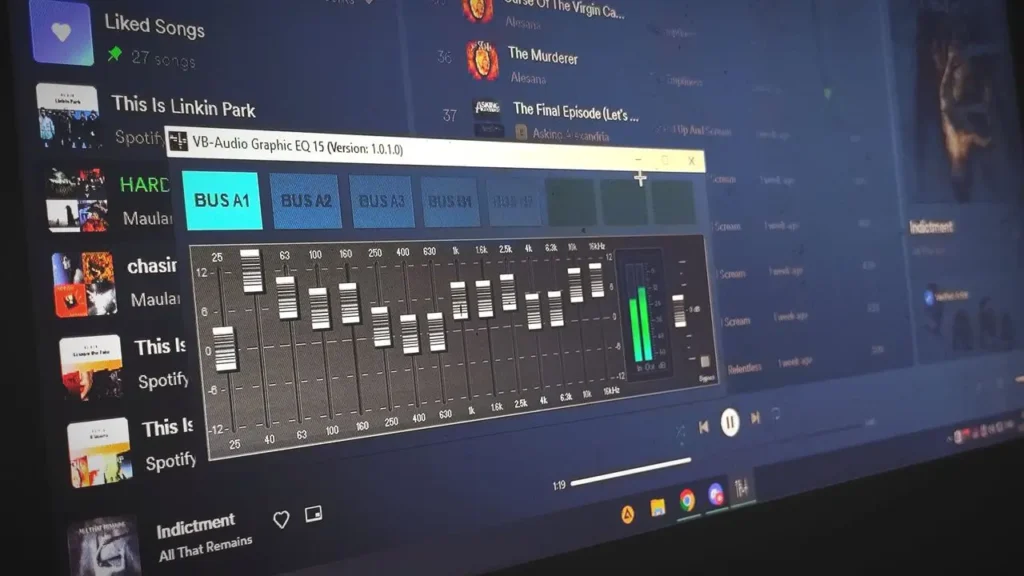
This is the workflow most experienced podcasters have quietly settled into, and it’s simpler than it sounds:
1. Record yourself using a good mic in a quiet room there’s no software solution to make a bad recording sound perfect.
2. Process it with AI software that will transcribe it, identify fillers, detect silence, and do an initial noise removal.
3. Listen to it and fix all the cuts made by the software.
4. Move into a DAW for final mixing, leveling between speakers, adding music, applying EQ, and exporting to your distribution loudness target (-16 LUFS is standard for stereo podcasts, -19 LUFS for mono).
5. Export and publish, keeping a local copy of the final master, not just the platform’s cloud version. And that will give you the speed of AI for the mundane 80% of the job and the DAW for the remaining 20%, which actually defines the sound of your show.
Which Should You Choose? A Decision Framework
Instead of “it depends,” here’s a faster way to decide. Answer these honestly:
- How often do you publish? Weekly or more → lean AI. Monthly or less → either works, and a DAW might actually save you a subscription.
- What’s your budget reality? Bootstrapped or between projects → Audacity plus Adobe Podcast’s free tier gets surprisingly far. Steady income → a paid AI tier pays for itself in time saved.
- How technical do you want to get? If learning audio production sounds appealing, a DAW is a skill investment. If it sounds like a chore standing between you and publishing, AI removes that barrier.
- What’s your show format? Solo or two-person conversation → AI-first. Multi-voice, scripted, or music-heavy → DAW-first, AI for cleanup only.
- Is any of your content sensitive? Client work, journalism, anything requiring guest confidentiality → default to local DAW editing, or confirm your AI tool’s data policy first.
The majority of individuals belong to the middle category simply because that is the precise reason why it is essential to study both.
Texora Verdict
If you’re a learner just starting, don’t overthink this: start with a free AI-powered tool to get comfortable with the concepts, and only move into a DAW once you find yourself wanting control the AI tool can’t give you. If you’re a freelancer, the hybrid workflow protects your time on repetitive client work while a DAW you already own protects your margins from subscription creep as you scale. If you’re a small business or startup using a podcast to build an audience, weigh the privacy question seriously before uploading client or leadership conversations to any cloud tool, and lean on AI for speed everywhere else.
But the real 2026 answer is not an AI-powered podcast editing tool or DAW but simply understanding what aspects of your process can be automated and what cannot be.
Are AI-powered editing tools capable of replacing DAWs for podcasts?
Not quite yet, and not in every instance. AI is able to deal with repetitive editing tasks flawlessly but is still unable to deliver on mixing and sound design.
Is AI-Powered podcast editing accurate enough for professional shows?
For conversational, single-language content with clear audio, yes, with a human review pass before publishing. These will be expected in cases of technical jargon, accents, or multiple speakers speaking on top of each other.
What is the best way to begin podcast editing in 2026?
The combination of Audacity (freeware) along with the free level of Enhance Speech provided by Adobe Podcast suffices.
Do AI-powered podcast editing tool store or train on my audio?
This depends on the particular platform, and it is not static – make sure to see what the privacy policy currently says and whether there is an option to opt out of the model training before uploading.
Is it possible to combine free applications such as Audacity with an AI editor?
Yes, it is quite a popular approach: clean up with the help of an AI editor and do leveling and exporting in Audacity for free.